


Offline Player: Local Music
4.45.00 Reviews
App Specs
- Version
- 1.0.1
- Updated On
- License
- Free
- Downloads
- 100,000+
- Developer
- SUPER MM Ltd
- Categories
- Music & Audio
- Platform
- Android
Screenshots

 Analysis by AppCompare
I like music apps that understand one simple situation: sometimes I already have the songs I want, and I do not need another streaming service deciding what to play. Offline Player: Local Music is built around that idea. It is a free Music & Audio app from SUPER MM Ltd that focuses on playing music stored locally on a device, so the listening experience does not depend on mobile data or Wi-Fi.
That narrow purpose is also the reason I find it easy to judge. This is not an app I would choose for discovering new artists, following social playlists, or replacing a full streaming subscription. I see it as a practical local player for people who keep their own audio files and want a straightforward way to listen to them. In my experience, that can be especially useful in a household where one phone or tablet is shared, because the app does not require the whole family to use the same streaming account just to play music already available on the device.
How Offline Player: Local Music fits into everyday listening
The most convincing use case is a familiar one: I am leaving home, heading somewhere with unreliable reception, or trying to avoid using data, and I want music that is already on my device. With a local player, the important preparation happens before listening. Once the audio files are present, playback is designed around access to that local library rather than an internet connection.
That makes the app useful for commutes, travel, exercise, quiet evenings, and backup listening when a streaming service is unavailable. It also suits people who have recordings, purchased files, personal mixes, or older music collections that do not fit neatly into a streaming catalog. The appeal is not a huge feature list; it is the ability to keep the listening path short.
In a shared-device situation, I can imagine a parent loading a selection of children’s music onto a tablet, then handing it over without giving the child access to a streaming profile. Another household member might use the same device for albums or language recordings. The app itself should be viewed as a player, not as a household account system, so the boundaries come from how the device and files are organized rather than from separate user spaces.
That distinction matters. If several people use one device, the local library can become a mixed collection. A child’s songs, a parent’s albums, and spoken recordings may all appear together unless the files are arranged carefully. I would prepare the library before sharing the device, using clear folder or file names where the operating system allows it. That small bit of organization can make the difference between a calm handoff and a long search through an untidy list.
Starting with the local library
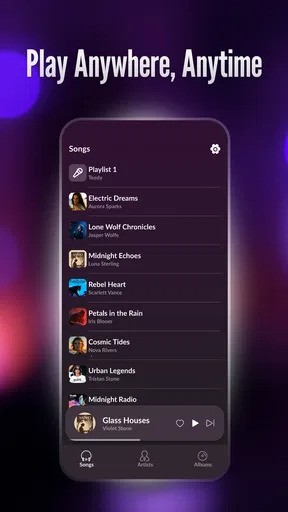
The first practical question is not whether the app can stream; its purpose is local playback. The useful question is whether the music I want is already stored on the device in a format the app can read. I would therefore treat setup as a two-part process: make sure the files are available, then open the player and see how the collection is presented.
Worth Reading Before You Choose

Flipboard Shows What News Apps Must Do Beyond the Feed

Switching to Android Auto Means Rethinking Your Driving Routine

Google Calendar Makes a Crowded Week Easier to Manage

Ludo King Makes the Most of the Minutes Between Plans

Baby Panda World Brings Quick Play to Modern Phones, but Its Game Library Feels Busy

ESPN’s Live Game View Makes Following Close Games Easier
This is a different workflow from streaming. With a streaming service, I search first and save music afterward. Here, I prepare first and listen afterward. That trade-off is worthwhile for someone who values independence from a connection, but it may feel inconvenient if I expect every song to be searchable immediately.
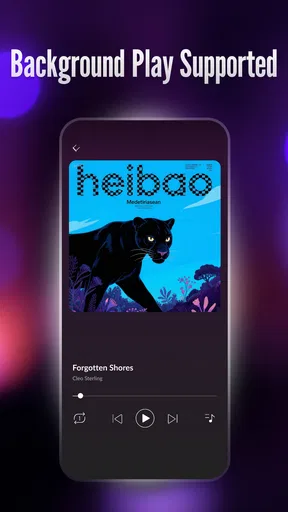
A good habit is to test a small group of files before moving an entire collection. I would check whether the expected titles are easy to identify, whether the order makes sense, and whether playback continues naturally from one track to the next. This is a more useful first test than simply opening the app and assuming that every file on the device will be organized exactly as I expect.
In a family or shared-device setting, I would also create a simple handoff routine. Before giving the device to another person, I would open the intended album or playlist-like group, set the volume, and make sure the device is not left in a confusing part of the library. This is not a special family feature; it is a practical way to use a local player when different people take turns.
What the offline approach changes
Offline playback changes more than the connection requirement. It also changes how I think about reliability. A streaming app can be excellent until the signal drops, an account changes, a download expires, or the service no longer carries a particular recording. A local player avoids that kind of catalog dependency for files that are already on the device.
At the same time, local storage creates its own responsibility. If the files are deleted, moved, or left on another device, the player cannot replace them. I would keep a separate copy of music that matters to me, especially if I use the phone as the only place where a personal collection exists. Offline access is convenient, but it is not the same thing as backup.
There is another subtle trade-off for shared use. A streaming account usually keeps recommendations, favorites, and listening history inside a profile. A local player is more neutral, which is helpful when several people use one device, but it can also mean less personalization. If I want the app to remember exactly what each household member likes, a profile-based service may be better suited.
Keeping boundaries clear on a shared device
Offline Player: Local Music feels most appropriate when I decide what belongs on the device. That makes it easier to create a contained listening environment for a child, a guest, or a family tablet. I can place only suitable recordings there instead of relying on a large online catalog and hoping the next search result is appropriate.
However, I would not confuse a curated local collection with parental controls. The app is a music player, not a complete device-management solution. If age-appropriate access is important, I would combine the app with the device’s own user settings, screen-time arrangements, or supervision tools. The player can reduce the available content by limiting what is stored locally, but it should not be treated as a guarantee of restricted access.
This is also where account boundaries become simple but limited. Because the experience centers on local files, one person does not need to create a separate streaming profile for every listener. That can be convenient in a household with occasional users. On the other hand, anyone who can use the device may see the same local collection, and the app should not be expected to separate private libraries automatically.
For adults sharing a phone, I would keep personal recordings in a clearly labeled area and avoid mixing them with a child’s listening folder. For a common tablet, I would use filenames that make the intended audience obvious. These are modest steps, but they address the real coordination problem: knowing what is available before someone else starts playback.
Coordinating music without a shared streaming account
One of the app’s strongest household advantages is that coordination can happen around files rather than accounts. A family can agree on which albums, playlists converted into local files, lessons, or recordings belong on a shared device. Nobody has to alter another person’s recommendations or interrupt a personal streaming session.
I would use that approach for a car tablet, a kitchen device, or a phone passed between family members. Before a trip, I could prepare a compact selection for everyone. During the journey, the listener would not need to search online, and the driver would not need to manage a connection-dependent service. The important preparation is done once, then the device can be used more simply.
There is a practical limitation: coordination still depends on someone maintaining the collection. New music will not appear by itself, and an outdated folder can make the app feel less useful over time. I would schedule occasional cleanup, remove duplicate files, and rename confusing tracks. That maintenance is not glamorous, but it prevents the local library from becoming harder to use than the streaming alternative.
For a shared device, I would also avoid relying on a single enormous folder. Separate groupings for children’s music, family listening, spoken audio, and personal material make the player easier to hand over. Even if the app does not provide household profiles, thoughtful file organization can create a basic structure that works for real people.
Age context and trust
The app has an Everyone content rating, which makes its general positioning comfortable for a broad audience. I still prefer to judge suitability by the audio placed on the device rather than by the rating alone. A local player can reproduce whatever compatible recordings are available, so the collection itself remains the meaningful part of age-appropriate use.
That is why I would feel comfortable preparing a limited library for a younger listener, while remaining cautious about handing over an unrestricted adult device. The app can support a trusted setup, but it does not remove the need for supervision when the device contains mixed personal content.
For older children or teenagers, the app may offer a useful middle ground. They can listen to selected music without needing access to a full streaming account, while a parent can decide what is stored locally. The compromise is that the young listener may not get the discovery tools, recommendations, or broad catalog they expect from mainstream services.
For adults, the trust question is less about content and more about privacy. A shared local library may expose recordings, voice notes, or personal audio to anyone who opens the player. I would keep sensitive material away from a common device and use the device’s broader security options where necessary. The app should not be the only layer protecting private files.
Version, compatibility, and day-to-day expectations
Offline Player: Local Music is currently at version 1.0.1 and works on Android 7.0 or later. That gives it a relatively broad starting point for Android users, including people who keep an older phone or tablet for music. I would still test the app on the exact device intended for shared use, because older hardware can differ in storage organization, audio behavior, and how easily files are transferred.
The app is free, which lowers the risk of trying it as a secondary player. I can install it on an older household device without first committing to another subscription. Its audience also appears established enough to be taken seriously: it has passed one hundred thousand installs and holds an average rating of 4.5 from around 1.4 thousand ratings.
Those figures make me more willing to try it, but they do not change the basic evaluation. The app’s value depends on whether my local files are organized and whether I want a focused player rather than a discovery platform. A strong rating cannot make a local-only workflow feel convenient to someone who expects instant access to a massive online catalog.
The release date is April 29, 2026, and that places the app in a relatively early stage of its product life. I would keep expectations realistic around polish and future direction. The current version may be enough for straightforward playback, but people seeking a mature ecosystem with years of accumulated tools may prefer a more established alternative.
Where it beats streaming apps, and where it does not
Compared with a typical streaming service, this app wins on simplicity of purpose and independence from a connection. I do not need to browse recommendations, manage a subscription, or worry about whether a particular recording is still in the service’s catalog, provided the file is already stored locally. That is a meaningful advantage for travel, limited data plans, remote areas, and personal collections.
Streaming remains better for discovery, collaboration, synchronized libraries across several devices, and effortless access to new releases. It also usually handles search and personalization more powerfully. If I want an app to introduce me to unfamiliar artists every day, a streaming service is the obvious choice.
Other local music players may offer more detailed sorting, equalizer controls, visual themes, or advanced library management. I would choose one of those when audio customization or collection administration is my main hobby. Offline Player: Local Music makes more sense when I want to avoid unnecessary complexity and simply play music that I have already arranged.
There is also a difference between offline downloads inside a streaming app and genuinely local playback. A downloaded streaming track may remain tied to an account or service rules. A local file is managed as part of the device’s storage. That independence is useful, but it also means I am responsible for transferring, naming, preserving, and organizing the collection myself.
Small workflows that make the app easier to live with
My first recommendation is to prepare the library around situations, not just artists. A travel folder, a family folder, and a quiet-listening folder are often more useful than one alphabetical collection. This makes handoffs faster and reduces the chance that the next listener has to browse through material intended for someone else.
Second, I would test the app with the device disconnected before relying on it for a journey. The point of a local player is confidence when there is no connection, so I would verify that the selected files are available and that the device has enough battery and storage for the planned use. This simple rehearsal catches problems while there is still time to fix them.
Third, I would treat file names as part of the user interface. Clear artist and track names help everyone, especially children and less technical family members. If the names are inconsistent, the app may feel confusing even when playback itself is fine. A few minutes spent cleaning the collection can be more valuable than searching for another player.
Finally, I would keep shared and private audio separate before opening the app. This protects household boundaries better than expecting the player to create them. It also makes the experience calmer: each listener sees a collection that has been intentionally prepared rather than an accidental mixture of every recording on the device.
Who should use it and who should skip it
I would recommend this app to someone who owns local music files, wants free offline listening, uses an older compatible Android device, or needs a simple player for a shared household device. It is particularly appealing when avoiding data use matters more than discovering new music. Families can also benefit from preparing a controlled selection, as long as they understand that content organization and supervision remain their responsibility.
I would skip it if my music life is almost entirely streaming-based. If I expect instant search, recommendations, synchronized playback across devices, or separate profiles for every family member, this focused local approach will probably feel restrictive. I would also look elsewhere if advanced audio controls and deep library management are essential rather than optional.
My overall view is positive because the app stays close to a useful everyday job. Its best feature is the boundary between prepared local music and connection-dependent listening. That boundary makes it practical for travel and shared devices, but it also explains every major limitation: the library must be supplied, maintained, and organized by the user.
With its free price, Everyone rating, Android 7.0 compatibility, and current version 1.0.1, Offline Player: Local Music is an easy tool to try when I want local playback without adding another paid service. I would not install it expecting a replacement for a complete streaming platform. I would install it for a specific reason: to make music already on my device available in a direct, dependable way.
For a household, that makes the final decision fairly clear. If the goal is a shared, prepared collection that does not require a common streaming account, I think the app is a sensible choice. If the goal is rich personalization, automatic discovery, and strong account separation, a profile-based music service is better. For simple local listening with thoughtful file organization, this is a useful and approachable option.
Pros
- Plays music without internet access or mobile data usage.
- Supports keeping your personal music collection in one place.
- Offers reliable playback in areas with weak or no signal.
- Can reduce battery use compared with music streaming services.
- Gives users control over locally stored files and listening order.
Cons
- Requires users to obtain and transfer music files separately.
- Storage space may fill quickly with large audio collections.
- Limited discovery features compared with streaming platforms.
- Some audio formats or metadata may not be recognized correctly.
- Music availability depends entirely on the files stored on the device.
FAQs for Offline Player: Local Music
What is Offline Player: Local Music, and how does it work?
Offline Player: Local Music is designed for listening to audio files already stored on your Android or iOS device. Instead of streaming songs from an online catalog, the app scans supported folders or lets you import local tracks, then organizes them into a playable library. You can browse songs, albums, artists, and playlists without needing a constant internet connection.
Can I use Offline Player: Local Music without an internet connection?
Yes. The main purpose of Offline Player: Local Music is offline playback, so you can listen to music after the files have been saved on your device. This makes it useful during flights, in areas with weak reception, or when you want to reduce mobile data usage. Internet access may still be required for optional features such as updates, advertisements, cloud transfers, or artwork downloads.
Which audio formats are supported by Offline Player: Local Music?
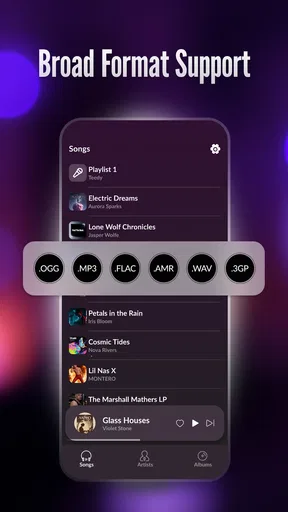
Format compatibility can depend on the device, operating system, and app version. Common music files such as MP3, AAC, M4A, WAV, and FLAC are generally the formats users expect to play, although support for advanced codecs or unusual file types may vary. If a track does not appear or play correctly, checking the app’s supported-format information is recommended.
Can I create playlists and organize my local music library?
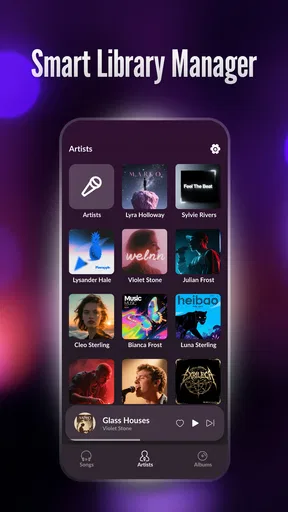
The app is intended to provide more organization than a basic file manager. You can typically browse imported tracks by categories such as artist, album, or folder, and create playlists for different moods, activities, or collections. Because playback is based on local files, moving, renaming, or deleting those files outside the app may affect playlist entries or cause songs to become unavailable.
Does Offline Player: Local Music upload or share my music files?
Local music players normally access files on the device so they can scan and play them, but they do not need to upload your personal collection to a streaming service. Even so, you should review the permissions requested during installation and in the app settings. Privacy behavior can differ by version, particularly where analytics, advertising, backups, or optional online services are included.


